miniNAM
Abstract
miniNAM是可视化mininet拓扑的一个工具
仓库链接(https://github.com/BelogaevIDLab/MiniNAM_fork.git)
如果直接在github上搜索,会下载到python2版本的miniNAM,非常不推荐,python3版本作者称是自用版,可能存在一些bug。
---
miniNAM是可视化mininet拓扑的一个工具
[仓库链接](https://github.com/BelogaevIDLab/MiniNAM_fork.git)
如果直接在github上搜索,会下载到python2版本的miniNAM,非常不推荐。
文中的链接是python3版本,作者称是自用版,可能存在一些bug。
核心文件是MiniNam.py,下载所需依赖
---
### miniNAM的指令和mininet保持一致
```bash
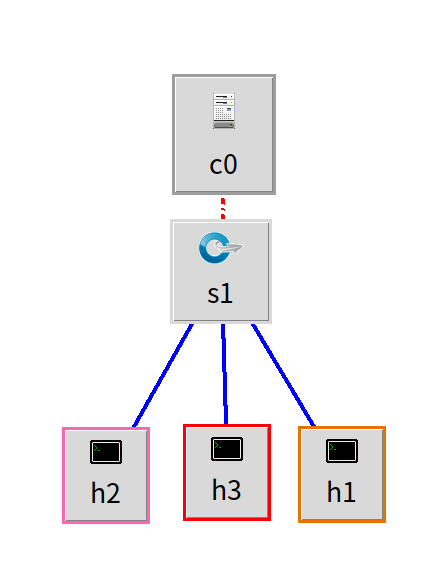
sudo python3 MiniNam.py --topo single,3
```
上面这条指令的效果:
### miniNam可视化自定义拓扑
1. 首先需要在自定义拓扑文件中注册拓扑名称
linear2x11.py:
```python
from mininet.net import Mininet
from mininet.topo import Topo
from mininet.node import Controller, OVSSwitch
from mininet.cli import CLI
from mininet.log import setLogLevel
class GridTopo(Topo):
def build(self, rows=2, cols=11):
switches = {}
# 1️⃣ 创建交换机(带DPID)
for r in range(rows):
for c in range(cols):
name = f's{r}{c}'
switches[(r, c)] = self.addSwitch(
name
)
# 2️⃣ 横向连接
for r in range(rows):
for c in range(cols - 1):
self.addLink(
switches[(r, c)],
switches[(r, c + 1)]
)
# 3️⃣ 纵向连接
for r in range(rows - 1):
for c in range(cols):
self.addLink(
switches[(r, c)],
switches[(r + 1, c)]
)
# 5️⃣ 主机
# for r in range(rows):
# for c in range(cols):
# h = self.addHost(f'h{r}{c}')
# self.addLink(h, switches[(r, c)])
def run():
topo = GridTopo(rows=2, cols=2)
net = Mininet(
topo=topo,
controller=Controller,
switch=OVSSwitch,
autoSetMacs=True
)
net.start()
print("*** Grid network started (custom DPID)")
CLI(net)
net.stop()
if __name__ == '__main__':
setLogLevel('info')
run()
# 在这里注册名称:grid
topos = {
'grid': (lambda: GridTopo())
}
```
2. 指令中传入拓扑名称
```bash
sudo python3 MiniNam.py --custom <custom_file_name> --topo <topo_name>
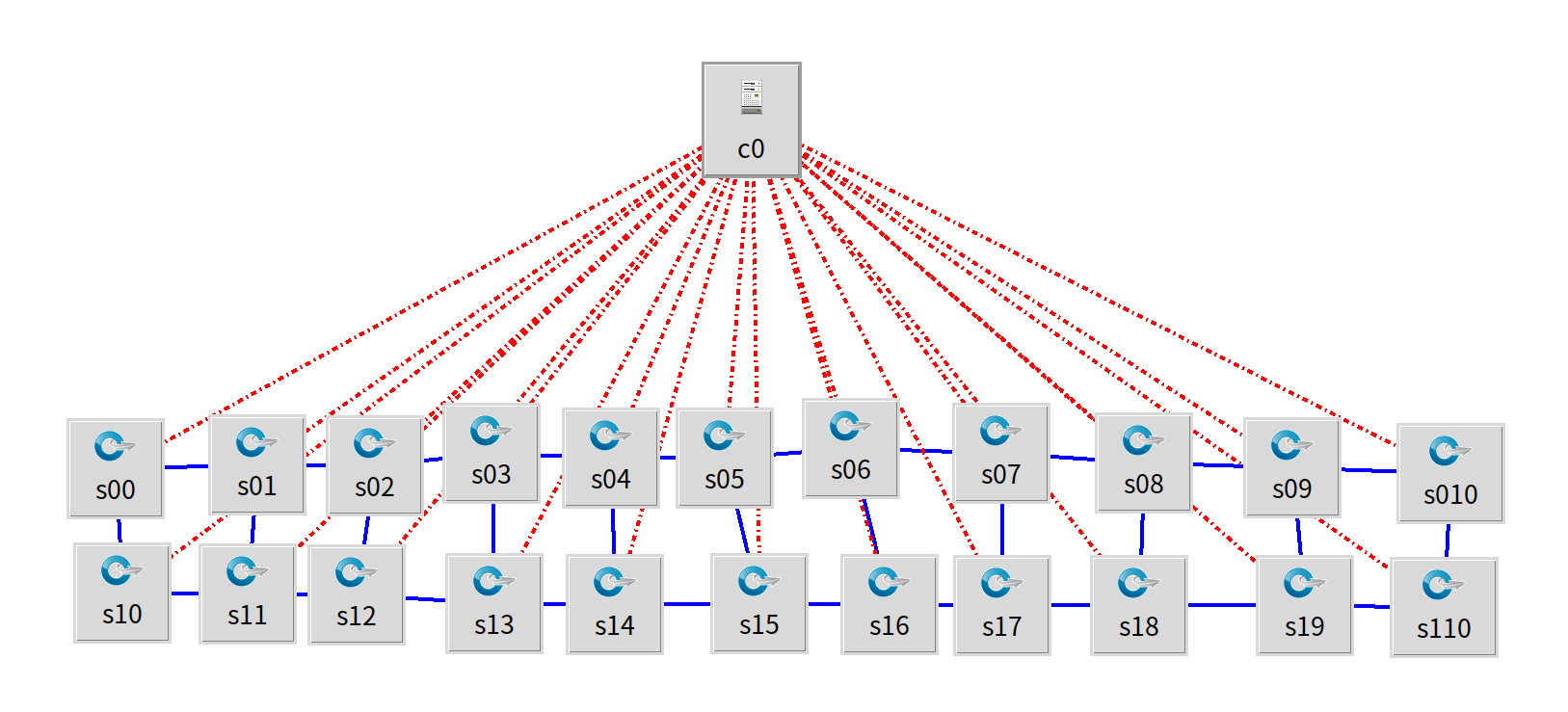
sudo python3 MiniNam.py --custom liner2x11.py --topo grid
```
运行linear2x11.py的效果图
评论
使用 GitHub 登录参与讨论,评论公开可见。
评论加载失败,请刷新页面重试。
在 GitHub 查看讨论 ↗